• Welcome to RCTalk! 🚀

    Join the #1 RC community where hobbyists connect, share, and get expert advice on RC cars, trucks, boats, drones, and more!

    • Friendly & passionate RC enthusiasts
    • RC tips & troubleshooting
    • Buy, sell & trade RC gear
    • Share builds & upgrades

Google Earth.

This site may earn a commission from merchant affiliate
links, including eBay, Amazon, and others.
The photos of my neighborhood are several months old. How do I know this? I have a LARGE truck that I park in a particular spot and it is not there. I have only driven it 2 times in the last 2 months so that narrows it down. This combined with my boat being in my driveway tells me it is no older then 3 months.

Interesting.
 
The pic of my area is at least a year or two old.
They were building houses behind me that are now occupied for over a year.
 
oldcars said:
i found area 51's baseball diamond

its......37 14'29.46" N, 115 49'22.47" W


by the way how do you take a screen shot?

Edit: If you look closely you can see white dots like baces

lol, ya, I noticed that too, but wasn't too sure on what it was when I first saw it. I thought it was a baseball diamond, but I wasn't too sure.

Anyway, for screen shot, you hit "prt sc/sys rq" (maybe it ways print screen on a seperate keyboard, I'm on a laptop) then you open up a prog. like paint, and just hit "ctrl+V" (paste) Or just edit, then paste, or w/e...
 
Buggyracer28 said:
I downloaded this and I'm having trouble actually seeing the picture.. All I get is stars when i load it up, then it goes to a green screen and I don't know how to actually zoom in on a real place. can someone help me get started?
any help on this? I have Windows XP so I think it should work.... it only goes to a green screen when i zoom in to a certain point, and then it continues if you keep zooming. This thing sounds pretty cool and i'd like to try it.
 
I'm running windows xp home edition on my crap-top and it runs fine for me.

the offical google page that you can download it from has a list of system reqirements. You should check it out.

________________________________________________________________
EDIT: when you say "green" is it totaly green or like you havent zoomed up and the spot.

Cause on some spots on mine I'm guessing the satalight either didnt take a good picture or didnt take one at all. Ill try to post a screen shot of what I'm taliking about.

_________________________________________________________________
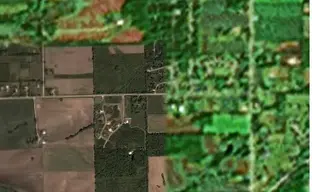
there's the screenshot of what I'm talking about.
 

Attachments

  • untitledww.webp
    untitledww.webp
    24.9 KB · Views: 56
They can pick and choose what they want you to see.
Take a close look at NYC.
I can zoom in so close, that I can see construction cones on the Brooklyn Bridge.
For some reason, NYC is very detailed.
Upstate NY, My other house could not be seen.
 
_________________________________________________________________
EDIT: see how part is focused and the rest is green.
 
Here is a pic on the detail.
Not the best, but good enough for me.
Statue of Liberty.
Statueofliberty.webp
 
Last edited:
Buggyracer28 said:
any help on this? I have Windows XP so I think it should work.... it only goes to a green screen when i zoom in to a certain point, and then it continues if you keep zooming. This thing sounds pretty cool and i'd like to try it.

some area's dont work ..like my area in frankenmuth theres nothing ...look at new york or california & see if it works there
 
Back
Top